Claude Code headless and Codex: from assistant to agent
🇫🇷FRclaude -p, --json-schema and codex exec: run an AI agent without a terminal, get a JSON answer a script can read, then move up to an IronFlow workflow.
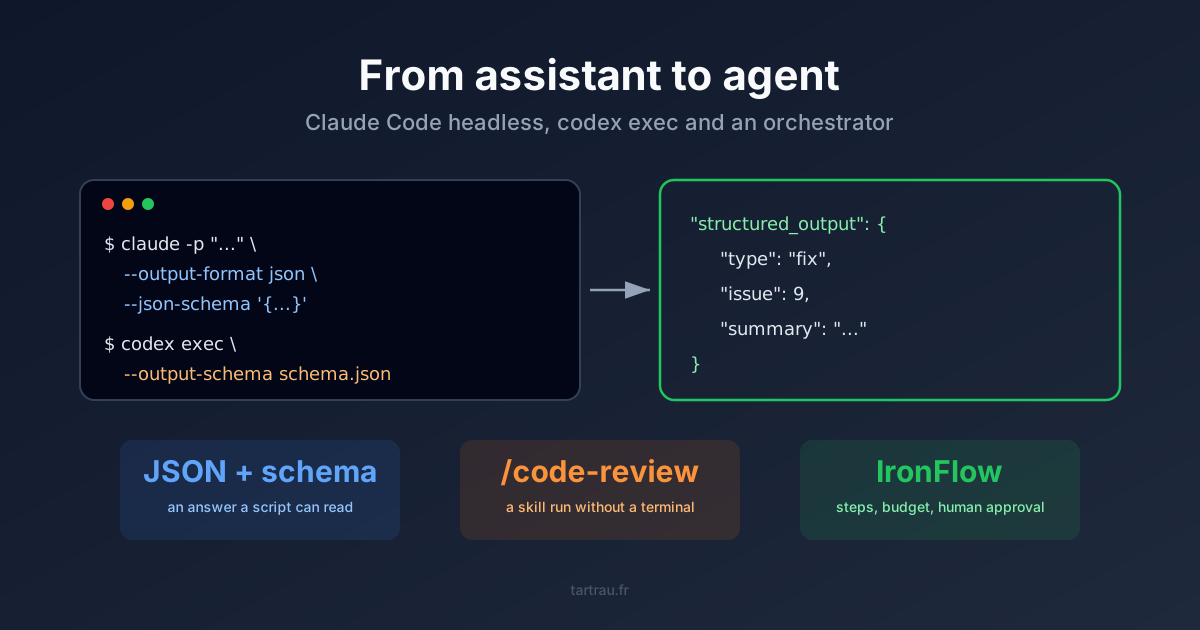
An assistant waits for you to talk to it. As long as Claude Code or Codex runs in an open terminal, someone has to sit there, type the prompt, read the answer and decide what happens next. Claude Code headless mode and codex exec change that: one command, a JSON answer validated against a schema, and a script that makes the decision.
This post covers the three levels I use to take an agent out of the terminal: a shell line, a skill run without a UI, then an orchestrator. With the exact commands for Claude Code and for Codex, and two traps I hit while writing the examples.
Assistant or agent: the trigger makes the difference
My first AI code review went through an n8n node that called Claude Code. A 2,000-line diff could cost 15 dollars for noisy findings, but nobody had to open a terminal. It was already an agent, a badly tuned one.
What separates an assistant from an agent is not the model. It is what surrounds it:
- A trigger that is not a human: a commit, a webhook, a cron.
- A contract output a program can read: JSON that matches a schema, not a paragraph.
- Bounds: a dollar budget, a tool list, a permission mode. Nobody is there to say stop.
Claude Code and Codex ship the last two as flags. The trigger is your CI, your cron or your orchestrator.
Level 1: claude -p and —json-schema
The -p flag runs the full agent loop, prints the result and exits. The official documentation lists three output formats. The one that matters for a script is json combined with --json-schema:
claude -p "Classify this commit message: 'fix: #9 build the image with kaniko on the Talos runner'" \
  --model haiku \
  --output-format json \
  --max-budget-usd 0.20 \
  --json-schema '{
    "type": "object",
    "properties": {
      "type":    { "type": "string", "enum": ["feat", "fix", "ci", "docs", "chore"] },
      "issue":   { "type": ["integer", "null"] },
      "summary": { "type": "string" }
    },
    "required": ["type", "issue", "summary"],
    "additionalProperties": false
  }' | jq '.structured_output'
The full response holds the text in result, and the validated object in structured_output:
{
  "type": "fix",
  "issue": 9,
  "summary": "build the image with kaniko on the Talos runner"
}
That object is what separates it from an assistant. A script can branch on type, reject a commit without an issue, or route to the right team, with no human reading the answer.
Three flags turn the call into a bounded agent:
--max-budget-usdstops the session past a given amount.--allowedTools "Read,Grep"or--permission-mode dontAsklimit what the agent can do with no human to approve.--bareskips the machine’s hooks, plugins, MCP servers andCLAUDE.md. The documentation recommends it for CI, with one catch: it requires anANTHROPIC_API_KEYand does not use your subscription.
That last point matters more than people think. Without --bare, -p loads the whole context of an interactive session: skills, CLAUDE.md, MCP servers. The same script therefore behaves differently on my laptop and on the CI runner. Same lesson as with skills that degrade an agent: everything you load shapes the answer.
The same contract with Codex: codex exec
Codex follows the exact same model. codex exec replaces the UI with a process that reads a prompt, works and exits. The schema goes through a file, and -o writes the last message (Codex documentation):
codex exec \
  --sandbox read-only \
  --ephemeral \
  --output-schema commit.schema.json \
  -o result.json \
  "Classify this commit message: 'fix: #9 build the image with kaniko on the Talos runner'" \
  </dev/null
Same schema, same answer. The </dev/null at the end is not decoration. My first try from a script never returned: when stdin is open, codex exec appends it to the prompt and waits for it to close. After three minutes, I killed it. In a CI job or a script, close stdin explicitly.
The flags map almost one to one:
| Need | Claude Code | Codex |
|---|---|---|
| Non-interactive mode | claude -p "..." | codex exec "..." |
| Schema-validated output | --output-format json --json-schema '<schema>' | --output-schema schema.json -o out.json |
| Reasoning level | --effort low to max | -c model_reasoning_effort="low" |
| Bounds | --max-budget-usd, --allowedTools | --sandbox read-only |
| Code review | /code-review skill | codex exec review |
| Event stream | --output-format stream-json | --json |
The principle holds for any harness with a non-interactive mode. What changes from one tool to the next is the flag name, not the architecture.
Level 2: run a skill without a terminal
A skill is a procedure written and tested once. Running it headless means reusing that procedure in a pipeline instead of copying it into a prompt. The documentation confirms it: a /skill-name in the -p prompt is expanded before the run. With a skill I wrote, --json-schema applies to the final answer as usual.
Claude Code’s /code-review command takes an effort level, from low (few findings, high confidence) to max (many, some uncertain), and a target: a file, a branch, a commit.
claude -p "/code-review low .gitlab-ci.yml" --output-format json --max-budget-usd 2 </dev/null \
  | jq -r '.result'
The review comes back as text. The next reflex is to add --json-schema to get typed findings. That is the second trap: /code-review is a built-in command that runs its review outside the main loop. The output JSON reports num_turns: 0, and structured_output stays null (seen with Claude Code 2.1.291). The review runs, but the schema is never applied.
The fix is to ask for the review in plain language. The model then runs the skill as a tool, and its final answer goes through the schema:
claude -p "Run the code-review skill at level low on .gitlab-ci.yml, then return its findings." \
  --effort medium \
  --output-format json \
  --json-schema "$(cat findings.schema.json)" \
  --max-budget-usd 2 </dev/null | jq '.structured_output.findings'
This time, structured_output holds an array of findings with file, line, severity and summary. Two effort levels live side by side here: --effort sets the model’s reasoning for the whole session, while low is the skill’s argument and sets how many findings it keeps.
On the Codex side, review is a subcommand, and effort goes through config:
codex exec review --base main -c model_reasoning_effort='"low"' --ephemeral </dev/null--base main reviews the current branch’s changes, --commit <sha> a single commit, --uncommitted the work in progress. In both tools, the review runs in one line from a CI job.
Level 3: when one shell line is not enough
A claude -p in a CI job covers a lot. It does not cover these:
- Several steps that depend on each other: fetch a diff, get it reviewed, post the comments, retry when the API returns a 502.
- A human approval in the middle: the agent proposes, someone approves, the rest runs. Meanwhile the run has to survive a restart.
- A trigger that is not CI: a Sentry webhook, a nightly cron, an API call.
- Cost tracked across the whole thing, not call by call.
That is why I wrote IronFlow, a workflow engine where workflows are Rust code. I explained why Rust rather than YAML in another post. What matters here is that IronFlow does not reinvent level 1. Its Claude Code provider builds the same command line:
let mut args: Vec<String> = vec![
    "-p".to_string(),
    config.prompt.clone(),
    "--output-format".to_string(),
    output_format.to_string(),
];
// ...
push_opt(&mut args, "--max-budget-usd", &config.max_budget_usd);
// ...
push_opt(&mut args, "--json-schema", &transformed_schema);
The schema is no longer written by hand. It comes from a Rust type that derives JsonSchema, and the answer comes back typed. A review workflow with a human approval when the agent finds a blocking issue:
#[derive(Deserialize, JsonSchema)]
struct Review {
    blocking: bool,
    findings: Vec<String>,
}

impl WorkflowHandler for ReviewMr {
    fn name(&self) -> &str {
        "review-mr"
    }

    fn execute<'a>(&'a self, ctx: &'a mut WorkflowContext) -> HandlerFuture<'a> {
        Box::pin(async move {
            let diff = ctx
                .shell("diff", ShellConfig::new("git diff origin/main...HEAD"))
                .await?;

            let review = ctx
                .agent(
                    "review",
                    AgentStepConfig::new(&format!("Review this diff:\n{}", diff.stdout()))
                        .model("sonnet")
                        .max_turns(5)
                        .max_budget_usd(0.50)
                        .output::<Review>(),
                )
                .await?;

            if review.blocking {
                // The run suspends here until a human decides
                ctx.approval("merge-gate", ApprovalConfig::new("Blocking findings. Merge anyway?"))
                    .await?;
            }
            Ok(())
        })
    }
}
The if review.blocking is plain Rust, because review is a struct and not text. That is the whole point of the schema: it turns a model’s answer into a value code can branch on. The engine persists every step. When the run resumes after approval, the diff and the review replay from cache instead of being recomputed and billed again.
CodeRift, my merge request review tool, came out of this progression: an n8n node that called Claude Code, then an IronFlow workflow with steps, rules and a budget per agent.
What I would change
The schema guarantees the shape, not the substance. Two reviews of the same file, at the same level, did not give me the same findings. Valid JSON is still a model’s opinion. For a decision that blocks a merge request, I keep a human approval or cross-check two runs.
Headless runs whatever the repository contains. Without --bare, claude -p runs the hooks in .claude/settings.json and the servers in .mcp.json of the current folder, with no trust dialog. On a repository you do not control, like an external merge request, that is an entry point. I covered this kind of risk in the post on AI coding agent security flaws. In CI: --bare and an explicit tool list.
Start with a shell line. I wrote IronFlow because my needs outgrew a single call. Most automations do not need it: a CI job with claude -p or codex exec, a schema and a budget cover review, issue triage and commit classification. An orchestrator pays off the moment you need an approval, a resume or several steps, not before.
Frequently asked questions
How do I run Claude Code without the interactive terminal?
With the -p (or --print) flag: claude -p "prompt" runs the full agent loop, prints the result and exits. With --output-format json, the output becomes a JSON object a script can read.
How do I get schema-validated JSON from Claude Code?
Combine --output-format json with --json-schema and a JSON Schema. The conforming object lands in the structured_output field, and the script can branch on it.
What is the Codex equivalent of claude -p?
codex exec. The --output-schema option takes a JSON Schema file and -o writes the last message to a file. Close stdin (</dev/null) in a script, otherwise codex exec waits for input and never returns.
Can I run a skill like /code-review in headless mode?
Yes: a /skill-name at the start of a claude -p prompt is expanded before the run, and --json-schema applies to the answer. One exception seen with Claude Code 2.1.291: /code-review, a built-in command, ignores the schema; asking for the review in plain language does return the JSON.
When should I move from claude -p to an orchestrator like IronFlow?
When you need a trigger (webhook, cron), a human approval in the middle, resumption after a crash, or cost tracking across several steps. For a single call in a CI job, one shell line is enough.